IPTV in the UK means television arriving down your broadband line rather than through a
dish, an aerial or a cable. You pay a provider, receive a login or a playlist line, put it
into an app on a Fire Stick or smart TV, and the channels appear. A UK IPTV subscription runs
somewhere between £4 and £15 a month depending on how long you commit for. The technology is
legal in itself; what decides whether a given service is legal is whether its content is
licensed. Everything below is the detail.
Every few years British television invents another way to charge you £80 a month, and every few
years somebody notices you could simply use the internet instead. That is IPTV: Internet Protocol
Television, arriving down the same line as everything else in the house, with nothing bolted to the
wall and nobody in a van offering you a four-hour window on a Thursday.
The mechanics are dull, which is reassuring. An IPTV UK provider runs servers carrying live channels and an
on-demand library. You get credentials or a playlist line. Those go into a player app on hardware
you already own. Select a channel, the app pulls the stream, the picture appears. That is the whole
technology. Everything genuinely contested about IPTV in the UK concerns price, licensing, and
whether the router in your hallway is up to the job.
Why the UK IPTV market looks the way it does
The problem was never the cost of one subscription. It is that there are four of them. Top-flight
domestic football sits with one broadcaster, European club football with another, the cup
competitions migrate depending on the year, and the premium film tier is a separate line on a
separate bill. Nobody designed this. It is what emerges when rights are sold in packages and
viewers get sold nothing.
So the average household lands on a premium bundle somewhere between £70 and £95 a month, watches
roughly six channels of it, and loses the sport package the moment the introductory deal expires
in month 13. Then a mid-contract increase arrives in month four of an 18-month term. That is
not inflation. That is a business model.
IPTV
grew in that gap. One line item rather than four, no dish, and the decent operators do not keep
your card. The poor ones are somebody on a social media group taking £30 for a year and blocking
you in week three. Most of this guide is about telling the two apart before the money moves.
Seven checks before you pay any UK IPTV provider
Run any candidate through these in order. Most services fail on one of the first three, which
saves you reading the rest.
1
A price you can see all of, including month 13
The figure on the homepage ought to be the figure leaving your account, and there ought to be a second figure telling you what renewal costs. Where renewal is written nowhere, somebody decided that deliberately. Ours is a single payment: £19.99 for a month, £49.99 for twelve, both on the pricing page. No card is retained, so nothing renews itself overnight.
2
A way out in the first week
Seven days of money-back cover is the cheapest honesty test available. It costs a provider nothing when the service works and a great deal when it does not, which is exactly why some will not offer it. Ask for it in writing before paying. A reply consisting of a paragraph about refunds being handled case by case is itself the answer.
3
An honest number for simultaneous streams
Unlimited connections is a warning rather than a feature. Bandwidth is finite and somebody funds it. A seller advertising unlimited is either overselling capacity or has not modelled it, and you discover which at three on a Saturday afternoon. Our default is one concurrent connection; the downstairs television and the bedroom running together is a multi-connection add-on, arranged on WhatsApp.
4
Support that is awake during the ninety minutes
The entire job is the ninety minutes. Support that shuts at five on a Friday is support that does not exist when it counts. Test it before paying: message at half nine on a Saturday evening and time the response. Our figure is published on the IPTV service page: 24/7 on WhatsApp, under two minutes during UK hours.
5
Capacity pointed at Britain, not a flag on a list
Plenty of services advertise a UK section that turns out to be a handful of feeds routed from three time zones away. Ten minutes exposes it. Open a UK channel at peak, then open the same one at four in the morning. Flawless at four and stuttering at nine is contention on their route, not a fault in your hallway.
6
Apps for the hardware already in your house
Check the list before buying rather than afterwards. Everything mainstream should be on it: sticks, smart TVs, Android and iOS handsets, MAG, Apple TV, desktops, Shield, Enigma2, Formuler. Where a seller supports precisely one obscure player, what you are buying is their app rather than their service. Our player app comparison covers the ones worth having.
7
A payment method that leaves a paper trail
Card, bank transfer, Apple Pay, Google Pay and crypto each leave a paper trail you can produce later. An operator that will take exactly one irreversible method has quietly told you what its plan is for the day something breaks. Treat that as information rather than as a moral failing, and insist on a receipt.
What IPTV actually costs in the UK
Honest figures. Every plan below is one payment, VAT included. No card is retained and nothing
auto-renews, which means the only route to paying us twice is deciding to.
Plan
One-off price
Effective per month
Saving vs monthly
1 month
£19.99
£19.99
£0.00
3 months
£29.99
£10.00
£29.98
6 months
£39.99
£6.67
£79.95
12 months
£49.99
£4.17
£189.89
The twelve-month plan includes a premium IPTV player app that costs £9.99 bought separately. All
four plans carry the identical catalogue: 50,000+ live channels across 50+ countries, 200,000+
on-demand films and box sets, in 4K, FHD or HD depending on what the source sends.
The most common opening message from a new customer is a photograph of the pay-TV bill they have
just cancelled. It is almost always between £70 and £95. They kept it for three things: top-flight
football, the premium film tier, and the children channels. They now have all three at £4.17 a
month, alongside another 49,000 channels they will never open. (Nobody has yet reported
voluntarily opening the international news bouquet. It is there. It is
lovely. Nobody goes.)
Is IPTV legal in the UK? Where the line actually sits
Delivery methods cannot be illegal, and IPTV is a delivery method. The catch-up apps already sitting on
your television are IPTV. So are the large subscription streaming services. So is most of what a
modern smart TV does when you press any button at all.
Licensing decides it. A service is lawful where the content it carries is licensed from whoever
owns it, and unlawful where that content is redistributed without permission. Nothing about the
Ofcom
handles broadcasting standards in the UK and the
Intellectual Property Office
covers copyright. Neither has a problem with the protocol.
The buyer version: a provider unwilling to say what they are licensed to carry has already told
you something. Nothing gets sold here that is not ours to sell. No wink, no grey area, no reassuring
nod about not worrying. A channel that is not on the list is not on the list. There is a
fuller breakdown in our guide to IPTV legality in the UK.
What speed you need, and why your broadband breaks first
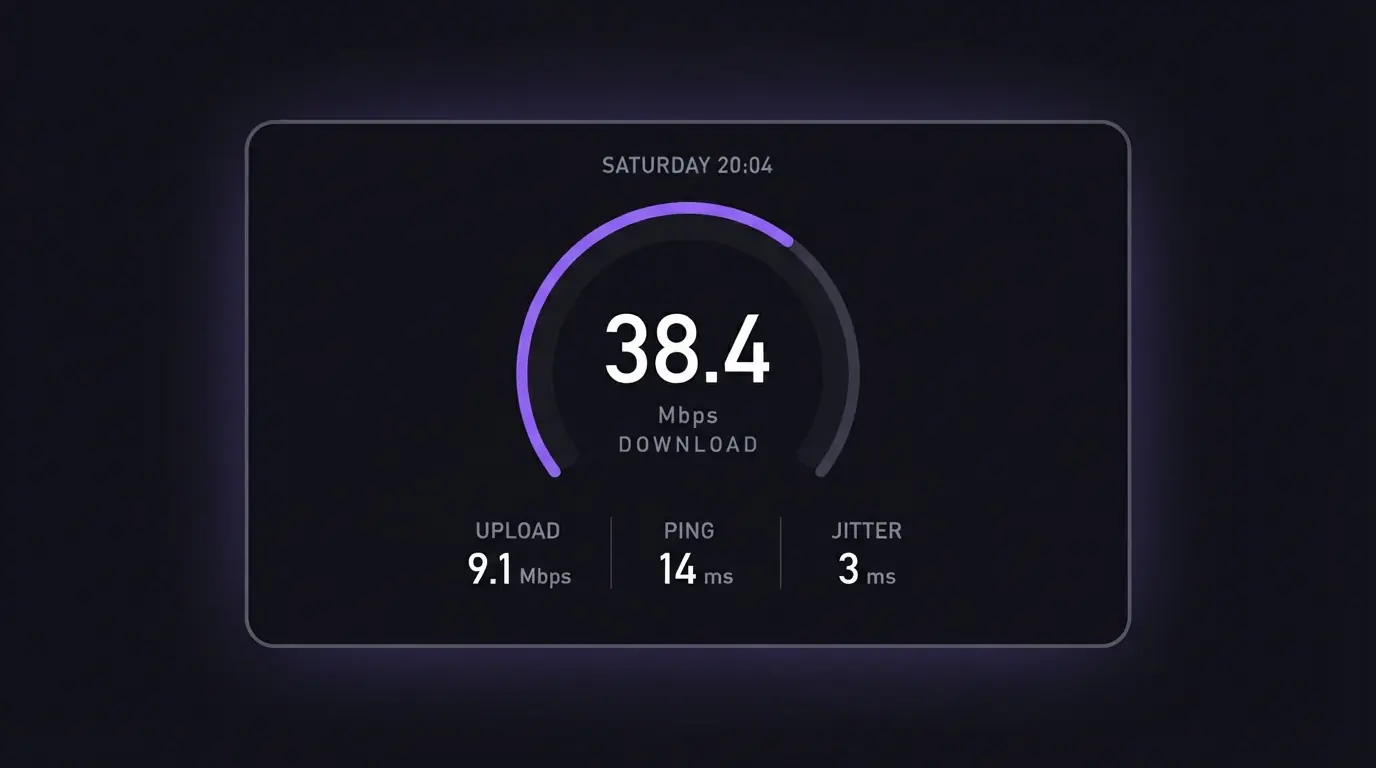
Fifteen Mbps is the floor for dependable playback on one HD stream. 4K wants around 25 Mbps, and
each additional simultaneous stream stacks on top of that. That is the complete requirement, and
almost every UK line clears it on paper.
On paper is doing considerable work in that sentence. Test at eight on a Saturday evening, not
eleven on a Tuesday morning. Your street shares capacity with every other street, and the figure
that matters is the one during the ninety minutes rather than the one printed on the bill.
Nine in ten messages reading the IPTV is buffering are not about the IPTV. They are about a Fire
Stick three rooms from the router, drawing 6 Mbps of wifi through a wall a builder in 1974 warned
everybody about. In rough order of how much difference each makes:
Run an Ethernet cable. A £6 cable beats a £60 router upgrade for IPTV streaming, and it is not close
If cabling is impossible, get onto 5 GHz rather than 2.4 GHz. Most routers broadcast both and most households are on the wrong one
Restart the router, not the box. Everybody restarts the box. The router has been running for 340 days and is the actual fault
Use the small HDMI extender that came in the Fire Stick box, particularly behind a wall-mounted set. Most people throw it away
In a Victorian terrace with plaster over brick, powerline adapters remain the honest answer. Mesh is the better buy if you were replacing the router anyway
Devices, apps and the fifteen-minute Fire Stick setup
It runs on smart TVs, Fire Sticks, Android phones, tablets and boxes, iOS devices, MAG boxes,
Apple TV, Windows, Mac, Nvidia Shield, Enigma2 receivers and Formuler boxes. If it has a
screen and a network stack, it is probably on the list. Our
IPTV boxes guide ranks the hardware worth buying.
One warning worth taking seriously. Avoid the cheapest box on the marketplace: an £18 unit ships with 1 GB
and a chipset from 2016. It behaves for a fortnight, then stutters on anything at 60fps, which on
a football stream is every second of it. Buy once instead.
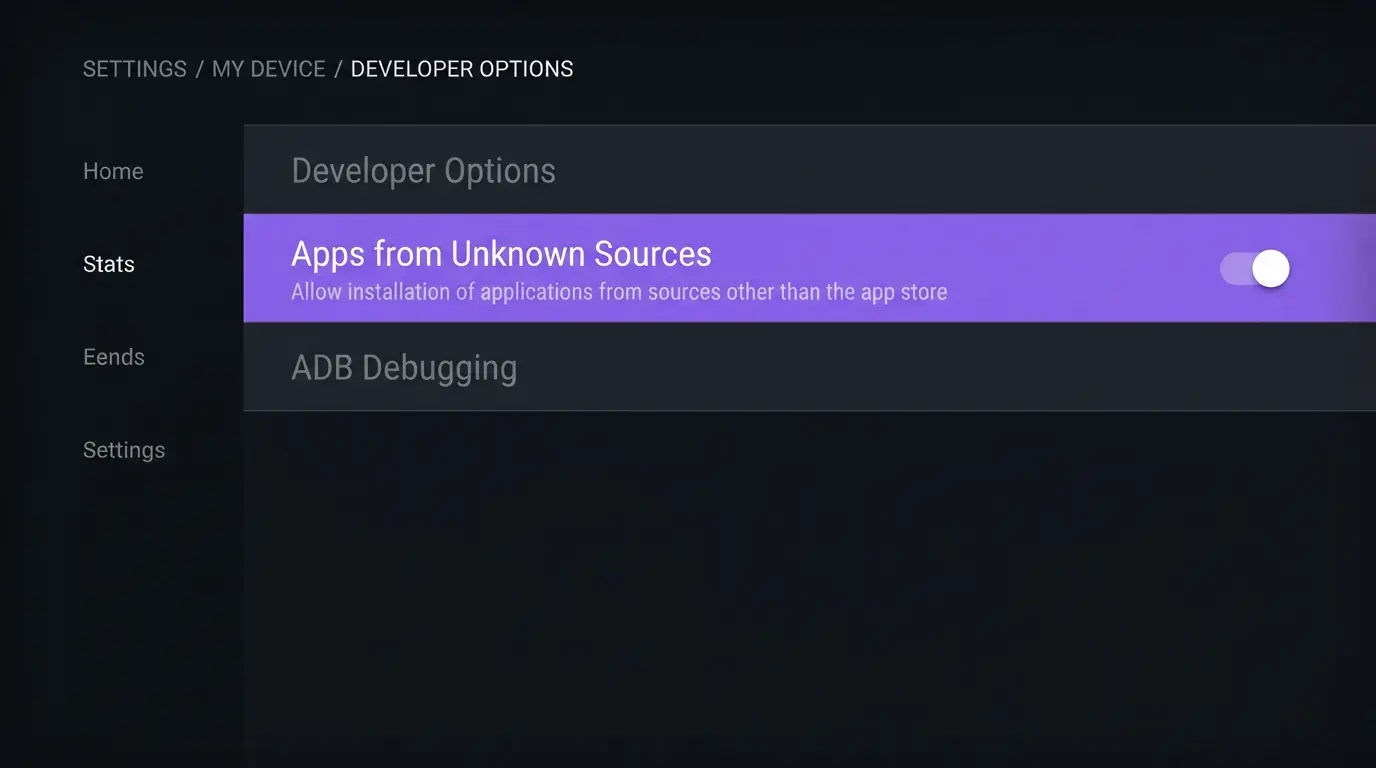
Fire Stick setup, which is the one most people need:
Settings, My Fire TV, Developer Options, enable apps from unknown sources. If Developer Options is not listed, open About and click the device name seven times
Search the Fire TV store for Downloader and install it
Open Downloader and enter the address for the player app we send you
Install the player, open it, and paste in whichever of the two the activation message gave you
Let the channel list and guide load fully, once, before you start pressing buttons
Under fifteen minutes, with support on WhatsApp alongside you throughout. A fair number of the
people we walk through this have never sideloaded anything in their lives, are frequently retired, and finish
with the same sentence: that was easier than I expected. Full walkthroughs for every
device are on our installation guides page.
Do you need a VPN for IPTV in the UK
No. It arrives weekly and the honest answer has not shifted. The service runs without one. A VPN
is worth having for privacy on shared or public broadband and it is entirely compatible, but the
streams do not require it. Roughly half our UK customers run one and half do not, and
both halves get the same picture.
Where a VPN does cause trouble is when it holds a stale connection after your ISP has rotated your
IP. That is visually identical to the service being down and is fixed by toggling it off and on
again. It has cost more than one person the opening fifteen minutes of a match.
The one-weekend test nobody tells you to run
Every comparison article on this subject helps you choose. Almost none explain how to check you
chose correctly, which is odd, because it takes one weekend and it is the only evidence
that counts.
Friday night, off-peak. Open five channels you would genuinely watch and time each one starting. Past four seconds is a routing fault at their end, not a problem in your hallway
Saturday, 3pm to 5pm. The one that counts. Ninety unbroken minutes on a single stream, remote untouched. Stalling that shows up only now is contention, and the Friday number tells you whose
Saturday, 9.30pm. Ask support something real and start a timer. Whatever that number is, it is the number you get in November too
Do all of that inside the seven days and you have spent a month, not a year, finding out.
Which is the right way round.
When you should not buy IPTV at all
This section costs us money and it stays in.
You watch one match a month. The pub is cheaper across a year, pours a better pint, and throws in the post-match argument
Your broadband is under 15 Mbps at peak. Fix that first. No box has ever repaired a bad line, and the handful of seven-day refunds we do pay are almost entirely this. We would rather say it on WhatsApp than take the money and return it a week later
You only want the terrestrial highlights. Free already, and already inside the television. You do not need us
Nobody in the house is going to follow six steps with a remote. We will walk it through with you and mean it. But be honest about how your Saturday actually goes
Straight answers: IPTV UK questions people actually ask
What is IPTV?
IPTV stands for Internet Protocol Television: television arriving over a broadband connection using the same protocols as everything else on the line, rather than through a dish, an aerial or a coaxial cable. Live channels, catch-up and on-demand libraries all sit under the same heading.
How does IPTV work?
Servers on their side carry the channel streams; you receive either login credentials or a playlist line. That goes into a player on a Fire Stick, a smart TV, a phone or a box, and the app fetches the stream over your broadband each time you change channel. No installation, no engineer, nothing bolted to the wall.
Is IPTV legal in the UK?
The technology is legal, and demonstrably so. The catch-up apps already on your television are IPTV, as are the large subscription streaming services. Licensing decides the question: a service is lawful where its content is licensed from the rights holder and unlawful where it is redistributed without permission. Ofcom handles broadcasting standards; the Intellectual Property Office handles copyright.
What internet speed do I need for IPTV in the UK?
Fifteen Mbps is the minimum for dependable playback on a single HD stream. For 4K, or for more than one stream at once, budget 25 Mbps or more. Measure it at eight on a Saturday evening rather than eleven on a Tuesday morning, because your street shares capacity and the only number that matters is the one during the match.
Do I need a VPN for IPTV?
No, it works without one. VPNs are worth having for privacy on shared or public connections and are entirely compatible here, but no stream requires one to function. Our customer base splits close to evenly on this, and the picture is identical on both sides of that split.
How do I set up IPTV on a Fire Stick?
Switch on installs from unknown sources, add Downloader, use it to sideload whichever player your provider recommends, then paste in the playlist line or credentials from the activation message. Fifteen minutes covers it for most people, with support alongside you on WhatsApp throughout if it does not.
Is IPTV worth it in the UK?
Depends entirely on what you watch. Paying £70 to £95 a month for a premium satellite or cable bundle and using perhaps six channels of it makes the arithmetic obvious. Watching one match a month, or wanting only the terrestrial highlights, makes it equally obvious in the other direction: do not buy.
Can I use IPTV outside the UK?
Yes. It works anywhere with a stable connection above 15 Mbps, which is why it is common among expats. A VPN set to a UK exit is occasionally useful abroad depending on how the local network behaves, but it is not a requirement of the service.
The verdict
The trade is simple enough. Out go the dish and the engineer appointment; in comes one bill instead
of four, with nothing renewing behind your back. It works when the line
clears 15 Mbps at peak and somebody is willing to spend fifteen minutes with a Fire Stick and a
player app. It does not work when the broadband is the problem, and any provider telling you
otherwise is not worth £19.99.
Start on the month. Run the weekend test. If it holds, twelve months is £49.99, which divides to
£4.17 a month; if it does not, you have seven days to say so and get it back. Everything above is
what we built our own IPTV UK subscription around, so judge it on the same seven checks.
Message us on WhatsApp
and the reply lands under two minutes during UK hours, worth mentioning because support is the part
you will actually use.
And if it still stutters after the cable, the 5 GHz switch and the router restart, it is not the
box. It is the router your ISP posted you in 2016, behind a mirror in the hallway, doing
its best.
Get the best IPTV UK subscription today
50,000+ channels, genuine 4K, live within minutes of paying. One, three, six or twelve months, same content on all four. Nothing renews, nothing is added at checkout, nothing is held back for a higher tier.