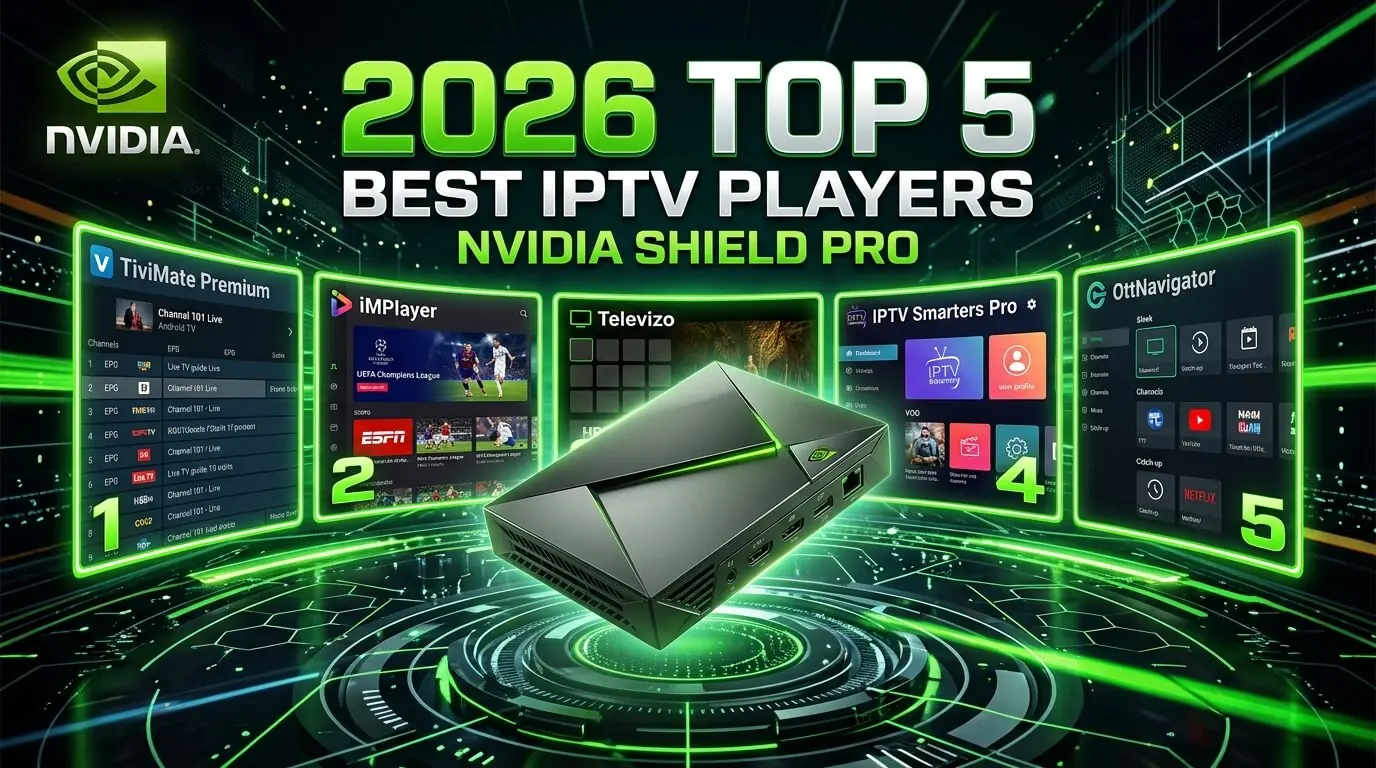
Nvidia Shield IPTV: the 5 best apps for Shield and Shield Pro
The Shield is the most powerful Android TV device made, which makes it a natural home for
high-bitrate IPTV. These are the five apps we support on every Shield and Shield
Pro, running from the smoothest guide anywhere
(TiviMate) to the universal free fallback (IPTV Smarters
Pro), all straight from Google Play with no sideloading involved. Every one works
with our
£19.99 IPTV UK trial.
Every Nvidia Shield ever sold, from the 2015 model through to the 2019 Pro,
carries full 4K HDR IPTV without effort, and every player worth having is a
single click away on Google Play. Below are the five we actively support, ordered by how
quickly each takes you from unboxing to watching UK channels, sport, films and box sets on a
first iptv trial. All five accept the same Xtream Codes credentials
or M3U playlist that came with your iptv subscription, with nothing to buy
twice
no per-device fee.
In a hurry? Three of them cover about 95% of Shield setups:
TiviMate: the reference player on this hardware. Free tier, plus Premium at around £4.99 a year
OTT Navigator: the power-user pick, with multi-playlist and Stalker emulation
About the paid apps
TiviMate Premium, OTT Navigator Premium and Sparkle TV are all
one-off or low-cost purchases
paid straight to the developer and entirely separate from your subscription
with us. Tap any app card below for exact steps.
TiviMate is the reference player on an Nvidia Shield: the smoothest guide on any Android TV device, multi-playlist support, recording, catch-up and the quickest channel switching anywhere. The free tier handles one playlist perfectly well; Premium at around £4.99 a year adds more playlists and reminders. The obvious first choice for a Shield-based iptv subscription.
Log in via
M3U URL or Xtream Codes API
Supported devices
Nvidia Shield · Shield Pro · Fire TV · every Android TV device
Step-by-step
1
Install TiviMate from Google Play
Shield home, Google Play Store, search TiviMate IPTV Player. It installs directly, with no sideloading on a Shield, unlike a Fire Stick.
2
Add a playlist
Open TiviMate, choose Add Playlist, then Enter URL for M3U or Xtream Codes, which we would recommend. Press Next.
3
Enter the login
Xtream Codes wants the server URL, username and password from your welcome message. M3U wants the single link we sent instead.
4
Pick the EPG source
When prompted, select Use TiviMate EPG. The guide data comes bundled with your iptv service and fills every channel by itself.
5
Tidy it up and watch
Reorder channels, hide the categories you will never open, choose a skin, set a default audio language. OK on the Shield remote opens the on-screen guide from anywhere.
Tip
TiviMate Premium is roughly £4.99 a year paid straight to TiviMate and has nothing to do with your subscription here. Worth it if you keep several iptv subscriptions on one Shield.
Smarters Pro is the free universal fallback on a Shield. It is the app every UK provider, ours included, writes documentation against, and it sits on Google Play as a one-click install. Nowhere near as elegant as TiviMate, but dependable, quick to configure, and the fastest way onto our iptv service from a Shield straight out of the box.
Log in via
Xtream Codes API or M3U URL
Supported devices
Nvidia Shield · Shield Pro · Android TV · Fire TV · Android phones
Step-by-step
1
Install from Google Play
Shield, Google Play Store, search IPTV Smarters Pro. Free.
2
Add a user
Open it, accept the terms, choose Add New User, then Login with Xtream Codes API.
3
Enter the credentials
Any name you like, then the username, password and server URL from your iptv trial welcome message. Save.
4
Start watching
You land on Live TV, Movies, Series and TV Guide tiles, with every channel from your subscription grouped by category: UK, sport, film, kids, international.
5
External decoder, if needed
Settings, General, Preferred Player, set to MX Player if a channel refuses to play on the built-in decoder. This is a known Shield quirk on 10-bit HEVC streams rather than a fault in the feed.
OTT Navigator is the most capable free player on Android TV: multi-playlist, custom HTTP headers, Stalker Portal emulation which is genuinely rare on Android, multiple EPG sources, recording, and proper catch-up support. If you run more than one subscription, ours alongside an Arabic or Spanish line, say, this is the app that lets them share one Shield without fighting.
Log in via
M3U URL · Xtream Codes API · Stalker Portal emulation
Supported devices
Nvidia Shield · Shield Pro · every Android TV device
Step-by-step
1
Install OTT Navigator
Google Play Store, search OTT Navigator. The free tier is fully usable on its own.
2
Add the playlist
Open it, Settings, Playlists, Add, then choose Xtream Codes, which we would recommend, or M3U. Give it a nickname.
3
Paste the login
Xtream Codes wants server URL, username and password from your welcome message. M3U wants the single link. Save.
4
Sort the guide
Settings, EPG, Add EPG source. It usually auto-detects the XMLTV bundled with your subscription; if not, WhatsApp us for the direct XMLTV URL.
5
Turn on catch-up
On any channel showing a catch-up icon, long-press with the Shield remote and choose Timeshift. Up to seven days back on supported UK channels, which is one of the better features of our iptv service on this hardware.
Tip
OTT Navigator Premium is around £2 a month and unlocks reminders, unlimited EPG sources and DVR. Worth it for heavy use. Paid to the developer, entirely separate from your iptv subscriptions with us.
The open-source route. Kodi with PVR IPTV Simple Client is the free power-user configuration on a Shield: endlessly customisable through skins and add-ons, and the only sensible path if you already run a full Kodi media centre and want live channels sitting beside your own library. More setup than TiviMate, and correspondingly more flexible.
Log in via
M3U URL + XMLTV EPG
Supported devices
Nvidia Shield · Shield Pro · every Android TV device
Step-by-step
1
Install Kodi
Shield, Google Play Store, search Kodi. Install the official Kodi Foundation build, which is free.
PVR IPTV Simple Client, Configure, General, M3U Play List URL, paste the M3U from your welcome message. Save.
4
Add the XMLTV guide
Same settings pane, EPG Settings, XMLTV URL, paste the XMLTV link. WhatsApp us if you need it. Save and enable the add-on.
5
Restart and open TV
Close Kodi fully and reopen it. The TV section on the home screen now carries every channel from your subscription with a seven-day guide behind it.
Tip
Worth adding the Estuary MOD V2 skin from the Kodi repository. It puts a genuine live TV row on the home screen, which alone makes the thing feel far less like a media centre and far more like a set-top box.
Sparkle TV is the interface pick on Android TV: a poster grid rather than a channel list, native Android TV navigation, and one of the cleanest guides on a Shield. One payment of around £4.99, no subscription, unlocks all of it. The right choice if you want the iptv service to look like a streaming app rather than a spreadsheet.
Log in via
M3U URL or Xtream Codes API
Supported devices
Nvidia Shield · Shield Pro · Android TV
Step-by-step
1
Install Sparkle TV
Google Play Store on the Shield, search Sparkle TV. Buy the one-off unlock at around £4.99 and install.
2
Add a playlist
Open Sparkle TV, Settings, Add Playlist, then choose Xtream Codes or M3U.
3
Enter the details
Nickname, then server URL or M3U link, then username and password for Xtream Codes. Save. It downloads the playlist and matches poster art on its own.
4
Let the guide fill in
A full UK guide populates in about sixty seconds. Poster art keeps arriving for a few minutes afterwards as Sparkle scrapes metadata in the background.
5
Map the number keys
Settings, Remote, assign the Shield remote number buttons to your regular channels for one-press zapping.
Tip
Sparkle TV is the app to install if somebody else in the house finds TiviMate too technical. A poster grid asks a lot less of the viewer than a channel list does.
Which Nvidia Shield IPTV app should I actually use?
Shortest possible answer: install TiviMate first. Even the free tier beats every
other free option on a Shield, and Premium at around £4.99 a year is close to a rounding error
against the hardware. If the interface feels like too much, IPTV Smarters
Pro is simpler and costs nothing. Anyone juggling several
iptv subscriptions, or needing Stalker Portal emulation, wants
OTT Navigator.
Nvidia Shield (2019, standard) owners
The standard Shield runs everything here at full 4K HEVC HDR. Keep to one player at a time and
the 2 GB of RAM stays comfortable. TiviMate plus our
iptv service is the classic combo.
Nvidia Shield Pro owners
The Pro is the recommendation for a serious UK iptv service: 3 GB of RAM keeps
TiviMate, Kodi and Sparkle TV all warm in memory for instant switching, and the full-size
Ethernet port means the box can be hard-wired, which removes
the smoothest possible 4K UK sport.
Match frame rate, HDR & Dolby Atmos
Switch on Match content frame rate under Shield, Settings, Device Preferences, Display. The box
then moves automatically between 50Hz for UK sport and drama, 60Hz for US content and 24Hz for
film, a difference you notice within about ten seconds on any
iptv subscription. Dolby Atmos passthrough sits in the same menu
for cinema-grade audio on films.
Try our IPTV UK trial on any of these apps
Every app on this page works with our 30-day £19.99 IPTV trial:
same Xtream Codes credentials or M3U playlist, same UK support on WhatsApp. Buying Premium on
TiviMate or Sparkle TV is a transaction with them, entirely separate from your
iptv subscription with us. One set of
iptv subscriptions credentials covers the Shield, a Fire Stick,
Apple TV, Smart TV, phone and tablet.
Frequently asked questions
Which is the best Nvidia Shield IPTV app in 2026?
For most UK viewers on a Shield, TiviMate. The free tier alone beats every other free option, and Premium at around £4.99 a year is the cheapest guide upgrade in the category. If you want free with no decisions at all, install Smarters Pro. Anyone running several iptv subscriptions should take OTT Navigator instead, for the Stalker emulation and multi-playlist handling.
Do I need to sideload apps on Nvidia Shield?
No. Everything in this guide is on the Google Play Store on a Shield, so each one is a single click. That is a real advantage over a Fire Stick, where several players have to come through Downloader. The iptv uk trial credentials work identically either way: Xtream Codes username, password and server URL, whichever of the five you install.
Shield or Shield Pro: which is better for IPTV?
Both run everything here at full 4K HEVC HDR. The Pro adds RAM, 3 GB against 2 GB, and a full-size Ethernet port, which matters if you intend to keep TiviMate and Kodi warm together or hard-wire the box. For one player and one subscription, the 2019 standard Shield is more than enough for our iptv service.
Does the same subscription work on a Shield and a Fire Stick?
One GetTV subscription covers every device you own: Shield, Fire Stick, Apple TV, smart TV, phone, tablet. The same Xtream Codes credentials, or the same M3U URL, go into each app. Simultaneous playback is what is capped, not installations. Our Fire Stick, Apple TV and Mobile guides cover those devices.
Do these apps support 4K HDR and Dolby Atmos on Shield?
Yes. TiviMate, Kodi, Sparkle TV and OTT Navigator all handle 4K HEVC, HDR10 and Dolby Atmos passthrough on a Shield. Turn on Match frame rate under Shield, Settings, Device Preferences, Display for the smoothest UK sport. The dedicated video chip is why a Shield carries the highest bitrates on our iptv service without a stutter.
Is IPTV on Nvidia Shield safe and legal in the UK?
Installing any of these is entirely legal. TiviMate, Smarters Pro, OTT Navigator, Kodi and Sparkle TV are all distributed through the official Google Play Store and have passed Google review. The legal question attaches to the subscription you sign into them with. Every GetTV iptv trial runs from licensed servers with UK support on WhatsApp.
How long does the Shield IPTV setup take?
Under three minutes with TiviMate, which is the fastest route here. Thirty seconds to install from Google Play, thirty to add the playlist as Xtream Codes, a minute to paste the credentials, thirty to pick the EPG source, and you are watching. Every GetTV iptv uk trial customer with a Shield takes exactly that path.
Get the best IPTV UK subscription today
50,000+ channels, genuine 4K, live within minutes of paying. One, three, six or twelve months, same content on all four. Nothing renews, nothing is added at checkout, nothing is held back for a higher tier.